AKIRA 14RBS3Wn - HOW TO ENTER SERVICE MODE [FACTORY MODE] - FACTORY SET DATA VALUES [Default Data] - Universal Remote Control Set-up Codes
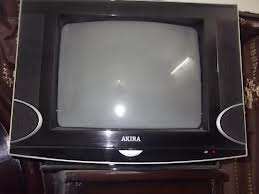
TB 1238 SERIES I2C BUS CONTROL
- Press the numeric keys, switch to the position 12
- Press the numeric keys again, switch to the position 38
- Press the MENU key to call up the POS.LOCK menu
- Press the MUTE key
- Press the numeric key to input the password 1, 2, 3, 8.
- Then the TV will enter into the factory mode while the "M" displayed on the top of the screen.
- Can select the item you want by pressing the ▲▼ keys and can adjust the value of the items when you press the ►◄ keys.
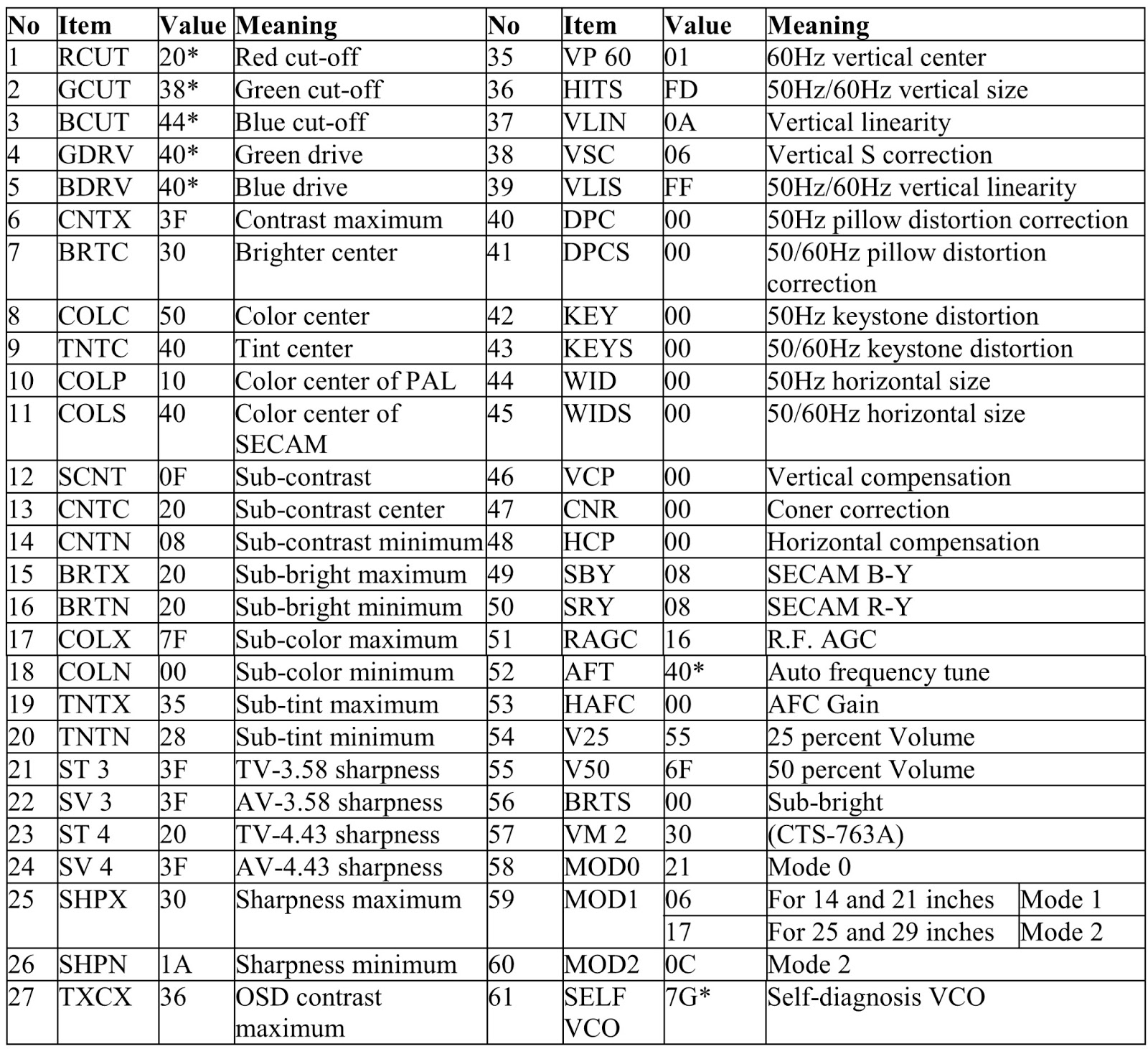

{Click on Tables to Zoom In}
- The items with [*] in value are very special, do not adjust them at random. The items (1-5) are used to debug white-black-balance of set.
- The general secret code is 2175.
- If you find the threadlike disturbance on the top of picture, please adjust the VM 2 in the items and make its value come to 34.
- When E PROM does not work, please exchange the same model chip with data that the manufacture has already input. 2.