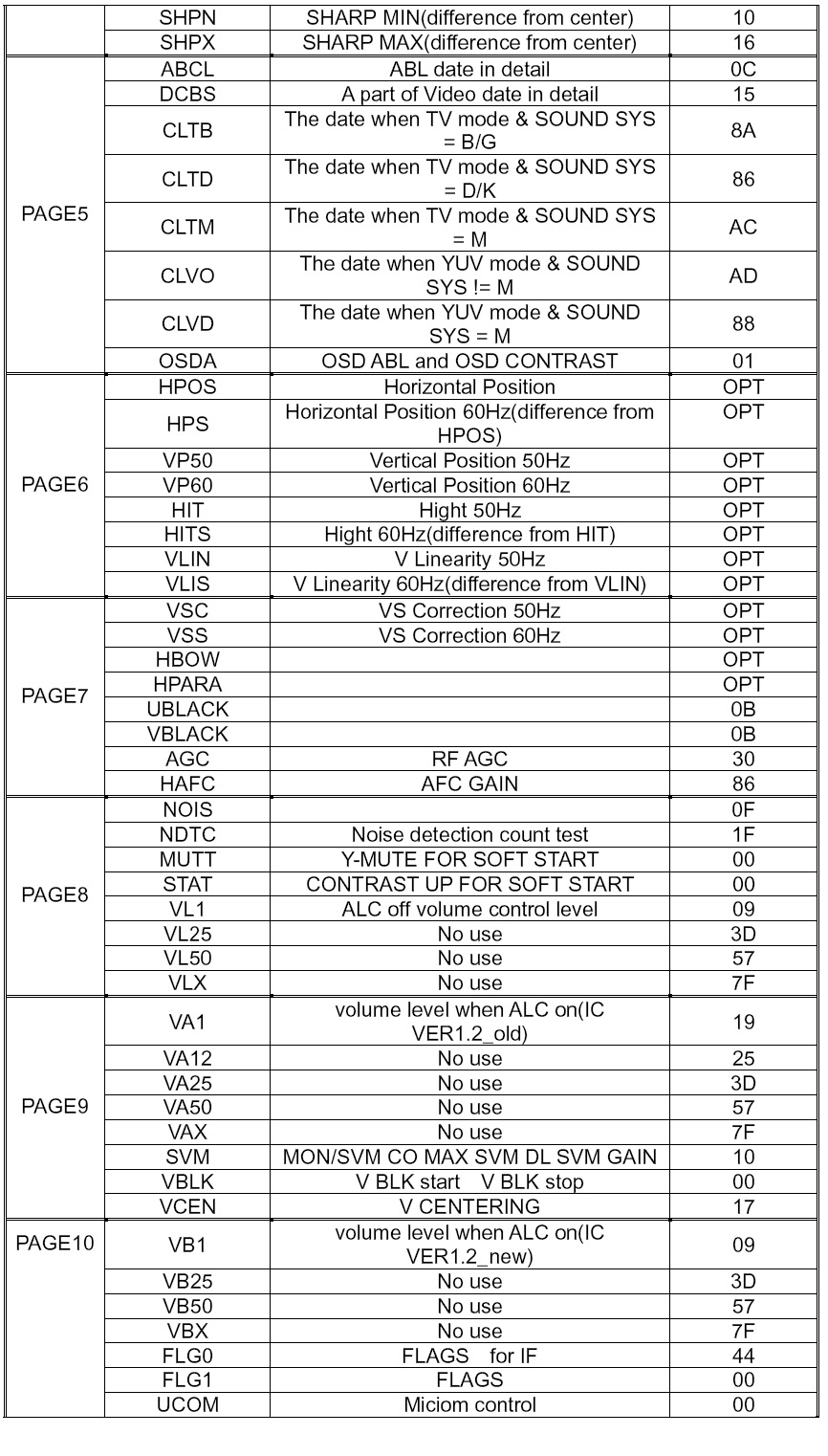
AKIRA CT-14CAS5CP - COLOR TV - SERVICE MODE - DEFAULT VALUES

HOW TO ENTER SERVICE MODE
- Set the volume to 0. Then press and hold the MUTE button on the remote control, and press the MENU button on the TV to enter the SERVICE mode. In this case, red “s” is displayed on the upper center of the screen. To exit from the S mode, turn off the TV set by the POWER button on the remote control.
DEFAULT DATA VALUES

Click on image.